Wednesday, February 1, 2012

Davidson Clickers

I tried to use the clickers on the first day. The students were supposed to click either der, die, or das with German nouns. Evyerthing was set up, students had the clickers in their hand, but when I tried to use it, my screen would no longer work. I had three or four different screens on top of each other. The task manager would not solve the problem either. I had to do a hard shut down. This was dissapointing.


Since then, I have searched for and found some ready made express poll flip charts. I do feel that I need some more practice time with creating and using the flip charts in order to use the clickers.

Kindergarten question of the day

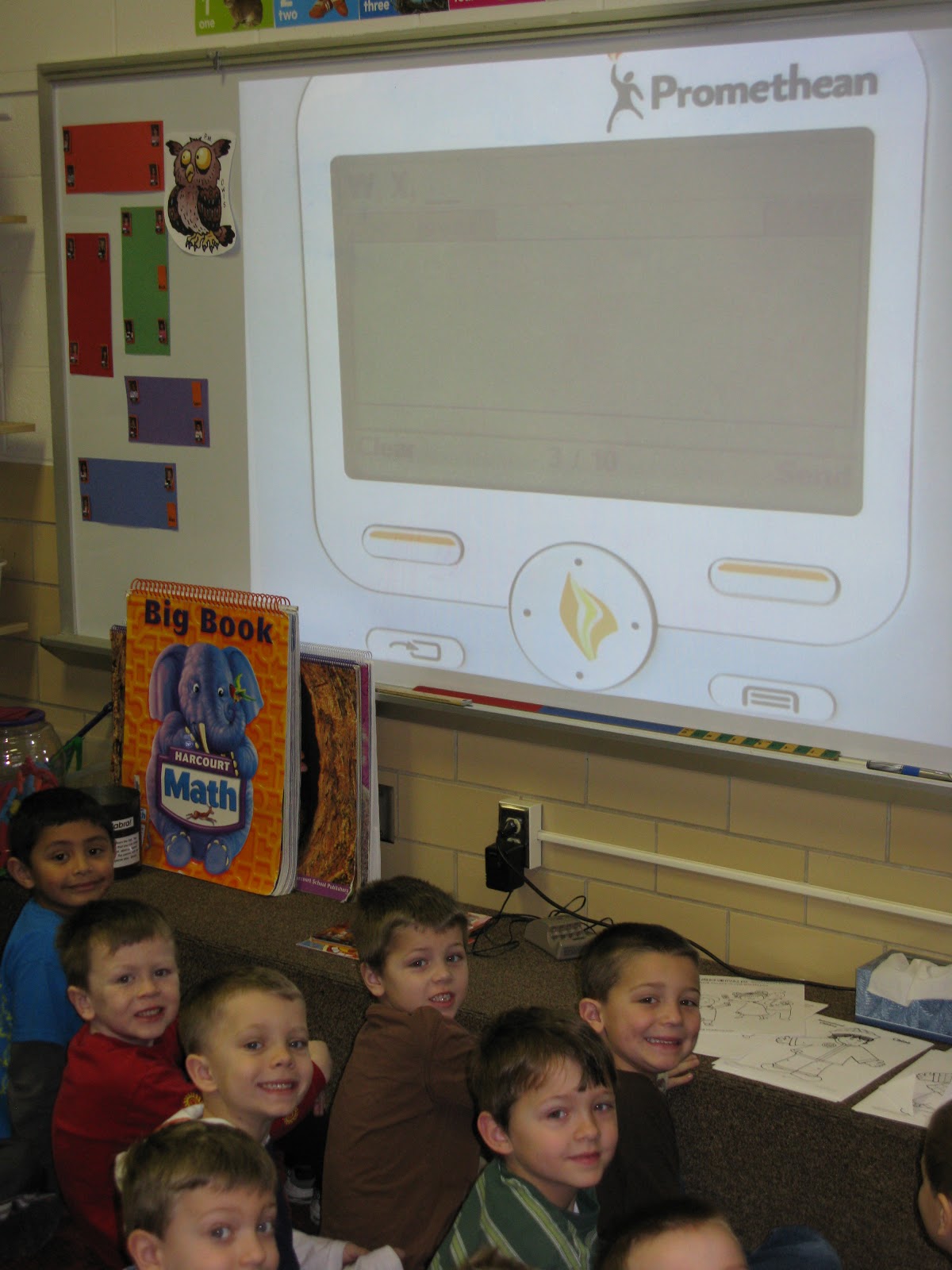
Each morning after my students check in and begin the day they now have to answer a question of the day as part of their morning routine. I post a question on the smart board and they read the question and answer with their clickers. It is an exciting way to start the day! My kids don't even realize that they are reading.
We have been having a lot of fun practicing beginning sounds with our clickers too.

Kindergarten Mend the Number Activity

I just visited Mrs. Kaeser's Kindergarten classroom.  They were playing the game Mend the Number Square.
 The students were using the express poll to text in their answers to determine which number should go in the space with the red bug.  They were so excited to see when they all answered correctly. 

clickers in use

I used the clickers today with my German 5 AP/IB kids to poll them on the most crucial environmental problems facing us today. After we saw the results (bar graph) of the poll, we discussed 1)the reasons these problems were the most crucial- according to them- 2)how America and Germany are similar/differ with these issues, and 3)possible solutions. We were able to continue viewing our results, judging the validity/viability of possible solutions, etc.


Had no problems using them. Kids seem to like them. Could have polled as quickly withOUT the clickers, but the visual of the bar graph seems to lend something to how one receives the answers...it appears more valid? We can see the "big picture" alongside the details...which seemed to make more kids jump into the discussion.

Tuesday, January 31, 2012

Boughman's 1st Graders

We used our clickers to text our names. Then, we worked on putting our names into ABC order. As you can see, we are not finished with the activity yet! We used dry erase markers instead of the pens to cross off the letters to see which name would come first. Next time we will use the pens. The dry erase markers don't show on a screen shot!!!


As partners, we located _ick words in books or around the classroom. Then we used our clickers to text in words. The highlighted words will be used for spelling this week. (We are still learning how to text correctly using our clickers!!!)


We listened to a story called The Happy Day. It had a surprise ending. We texted a response about a time when we were surprised. These responses are being used for our next story in writing workshop.
We have been using our clickers everyday!

Success:  We love the clickers and want to do more with them! The velcro works great on the desks!
Challenges:   First graders send before thinking!!! We are working on this!

Clickers

1. How have you been using the clickers in your classroom?
I have been using the clickers since they were passed out. I came to school and implemented them the following morning.
I use them in a variety of ways. One way, is each morning the students send in their name if they have turned in their homework. This reminds them to get their work turned in because they always want to use the clickers.
Another way in which I use them is with math. I use them for introducing a concept, or while learning the concept, and/or to close the lesson.
Social Studies is another area in which clickers have been integrated. It seems to make the lessons more enjoyable and interactive.

2. What successes have you had? Challenges?
I have had much success while using the clickers. The students are motivated and want to answer. They look forward to using them each day. It seems to engage them in the lesson.
Challenges that have been faced are minor. For instance, when some send in their answer using uppercase letters versus the same answer in lowercase, the results are shown differently. Also, our clicker 23 magically answers at times. (even though it is put away in the case and crossed off)


3. Include evidence of learning such as pictures of student interactions, screen shot of clicker results....


Using Clickers


Since I received my clickers we have been using them almost every day. I start the beginning of each class period with students conjugating verbs on their clickers. I don't typically spend much class time on conjugating verbs, and I think it has really helped students to learn the irregulars. I also used the clickers for students to rate how comfortable they are with the material, and did a multiple choice quiz with vocabulary.

I really think the clickers have improved my students' knowledge of irregular verbs. I can see how they conjugated each verb and explain the verbs that the majority missed. My challenge was the wait time between each question.

Walker

I used my clickers for the first time last Friday and this Monday. Both sessions went well. I was glad to see that the kids needed no real instructions on how to use them. We work all semester on learning the definition of technology and I used the clickers as review activity for that definition. After a little discussion I asked them to text in the first word of the definition. We then looked at who got that correct and I used a flip chart I created to add in a few more words of the definition. I then asked them to text in the tenth
word of the definition, and followed the same procedure. I did this one more time and gave out candy to everyone that got it correct that time. I did not have any problems and the kids seemed to enjoy it.

Monday, January 30, 2012

Initiation

Adams, Lisa-C5
OK, I have been initiated. On Day 1 (Friday-bad opening day choice!) I broke out the clickers to give my seniors a review activity which asked them to answer a m/c question with a,b, or c. Stupid me did not limit the choices, so, to my initial surprise (why should I have been surprised-especially with seniors?!) up come the answers but not just to a, b, or c. The answers were texted in, and one in particular was NOT school appropriate! Eventually we had to put them away to be able to get something done.

After that, I was leery to use them until I could learn more about how to control them, and could get them organized...on Day 1 I just had the kids take them out of the box and I re-organized them as they returned them. I didn't use them today (Monday) because of these issues.

I need:
1. More info on how to connect a student to his/her clicker (export to the EXCEL file will take care of it?)
2. How best to organize the clickers for maximum efficiency (have been asking experienced clicker users)
3. Time to review the moodle notes (I assume/hope there are some)

I did notice that the seniors did exhibit much more interest in the questions than they would have otherwise. The problem was the aftermath-they lost interest when they had to discuss the answers. Will work on planning the time/activities in which they are used.

Hope all of your "first flights" went smoothly!

Clicking Away in Kindergarten

I've been using clickers in half-day kindergarten for all kinds of things. They've been integrated into our day as another school tool, albeit a SUPER COOL school tool! The children get their clicker from the front of my desk when they unpack each day, and then use them periodically throughout our lessons.

I started slow, by showing the children the basic controls, and they grasped it very quickly.  In the picture below, you see the demonstration lesson, followed by a child using her clicker during our Social Studies lesson on Dr. Martin Luther King.  The Scholastic news magazine had "yes" and "no" questions, and we used clickers for those...the kids really loved it!


The following picture shows my favorite lesson to date.  A teammate used a worksheet she found online as an image, and imported it into an ActivInspire chart.  We put the magnetic letters at the bottom, and the kids used their clickers to name the initial consonant for each word.  After checking our class results, we moved the magnetic letter up into the blank.


We've been clicking away...the children have been tremendously excited to use their clickers.  So far, we've explored text, numeric, yes/no, and pre-programmed question formats.  All have been successful for the most part!

Thursday, January 26, 2012

Intro to History Lesson

The Lesson
This is an introduction to US History Class using digitally modified pictures. At the beginning of the year I start the semester with iconic pictures in US History. Students must identify the era, place or event that is shown in the pictures.

Procedure
The pictures that I will show from the link below have been digitally modified by taking out the main characters or components in the image. When the images are shown I plan to have a class discussion related to the specific era's in time that are shown. Also we will focus on the importance of how these images help preserve history and it allows for a discussion on primary sources.

Iconic Images in History

C5 Garcia, driving in Germany

Here is my ELITE project I used with German 3 - Prezi and Glogster


Project description:
Das Autofahren in Deutschland Projekt
In this assignment you will examine and then present an aspect about driving in Germany. You may choose any topic that you would like, but it must be approved by Frau Garcia.  She has a sign-up sheet to put your idea on after you have discussed it with her.

You may work alone or with one other person.  You have the choice to either make a prezi, power point, glogster or any type of presentation method to use during your presentation.  Anything written on the prezi, power point, etc. must be in German (Level 3 Honors) and in your own words.  Anything taken directly from a website or written using a translating program/website is plagiarism and will be given zero points.  You will present your poster or power point to the class and the presentation should last about 2 minutes.


Link to student project:
http://prezi.com/bvpmx9durvr0/shared-space/


I think the students did an admirable job trying new technology instead of just relying on powerpoint.  I didn't really teach them how to use it, just told them to try it out during our computer work days.  Most students preferred Prezi.

Wednesday, January 25, 2012

Adams-C5 BookRecommendations

Adams-C5
Project Rationale: My goal was to create short informational presentations on books being read by my College Prep seniors as part of a Life Studies unit they complete over the second semester. They often struggle to find a book that they like, so I wanted them to have a way to streamline their decision process. In this way they get visual and spoken information from their peers who have read and liked the books. This project is a step towards my ultimate goal of compiling our recommended reading into a "recommendation library" of sorts, where students can go see and hear about interesting books from other students. I am not sure that present.me is the format I will use to do that, but since others were curious about this program at our last ELITE meeting, I thought I would use it so they could see how it works and explore it as an option, too.


The (Intended) Process: Using present.me, we recorded power points and opinions about books we are currently reading. Each student created a short (2-4 slide) power point of their book and composed a short description of the book, which was to prepare them for presenting their power points into the webcam. The Actual Process was that I spent a lot of time incorporating the students' power points into my power point (either you use one big power point or everyone does their own-I just added theirs to mine), and I had to enlist some stand-ins to take the place of the students' spoken parts, because my students were too embarrassed to talk into the camera in front of their friends (we did this project in class)! If I pursued this project using present.me, I would create a "broadcasting space" that was private (a hallway or the library, for example) and I would make sure the spoken parts were well-written and practiced before filming-it's not easy to talk smoothly into the camera, as you can see by my video! I also plan to require more specific information about the book....these presentations are really just short reviews, not book talks, but right now we are just experimenting to see what program will work best for our purposes.

Resources/student work: We used present.me at http://present.me/index.cfm
The students at work and rudimentary samples of their work are shown in the presentation, which can be accessed using this link: http://present.me/view/5232-6th-hour-book-talks
Although each student composed a short recommendation and powerpoint, we only included parts of two.

Reflection: I like the visual and audio elements of this program-it offers pictures/graphics/data and the opportunity to see real people (that students may actually know) talking to them.

On the flip side-I thought the editing process in this program was somewhat cumbersome. Also plan any "changing of the guard" at the webcam and practice, practice, practice speaking (I obviously didn't do enough and it shows.) I was frustrated at being tied to the camera, and getting a good webcam angle can be tricky, as can the use of props.

The students really dug in to this project. and jumped at the chance to share their knowledge. Although they were loath to speak openly in front of the class, I think they would have done it in a more private setting in order to share their "finds." I look forward to further experimenting with this and other programs.

C5 Griner

PollEverywhere as Attention-Getter

The Lesson:  I decided to utilize Poll Everywhere as attention-getters/focusing activities for two different lessons with a English 4--College Prep English class.  We have been analyzing and evaluating rhetoric, as well as examining arguments for logical fallacies.  On the day we were to read a particularly one-sided but influential essay called "I Want a Wife" by Judy Brady, a noteworthy text for the feminist movement in the 1970s,  I asked the students to read the short essay in class, then text in their initial reaction to an open-ended poll on PollEverywhere (http://www.polleverywhere.com/) so students could get the initial personal reaction comments out of the way, as well as use it as a springboard for discussion.  For the second activity, a few days later, I created several multiple choice style polls to use to review logical fallacies before a quiz.  This allowed us to discuss why certain fallacies did or did not correctly describe a rhetorical situation in the question. 

Technologies Used:  PollEverywhere.com, student electronic devices, Epson Projector
Reflection:  The students really liked the activity the first day, but we had lots of technical issues.  Many students (at least 6) were encountering errors in trying to text in their comments and codes, and my student teacher's response kept getting sent back with a "Bad Words" or "Inappropriate Content" error.  (There was obviously nothing inappropriate about her message.)  Other students would get error messages that may have been particular to their phones.  However, it served its purpose, and allowed us to discuss the stereotypical reactions first, transition into a discussion of different intended audiences (men/women) and how student reactions represented similar reactions in the 1970s, and finally move into a more in-depth discussion of Brady's strategies. 

The second activity had no technical difficulties, but only 18 of the 24 students in class could participate (they did not have phones with them, or do not have text capabilities, and refused to get on the computers in back to participate that way).  It worked well to review the material and kept all students engaged, but with my novice experience switching back and forth between polls and the transition time of waiting for EVERYONE to text in, it took 15 minutes to complete what should have been a 5 minute review.  I would try this again for both purposes, definitely as an open-ended discussion starter or as an end-of-discussion wrap up activity.  I think other technologies (like the Promethean flipcharts or just even OneNote would be more effective with the review activity.  I can accomplish the same thing in a much quicker time period just by having the students write a response, and once the novelty of texting a response wears off with the multiple choice polls, I worry it would be as effective at holding their attention.

C5 Mertens

I utilized COOLTOOLSFORSCHOOL.wikispaces to have the students create a flipbook to demonstrate their knowledge on a specific issue that is relevant to WWI. The directions for the project are as follows:

For this assignment you will create a flipbook that displays a significant event or concept from WWI. This flipbook needs to include important information and facts that will help the class understand the significance of your topic. Your flipbook must be a minimum of 80 slides. You will be graded on completeness, how artistic it is, how well you used your time, and how much effort went into the project. Click add a new entry, and put your name in, then hotlink your project in the blank box.

Have Fun!!!


This is a link to the website that the students used:
http://www.benettonplay.com/toys/flipbookdeluxe/


These are links to examples of students work:
http://www.benettonplay.com/toys/flipbookdeluxe/player.php?id=374342
http://www.benettonplay.com/toys/flipbookdeluxe/player.php?id=374336


As far as the success of the lesson goes, I feel as though the students enjoyed the project, and hopefully will remember some of the different technologies that were present in the War, but I think that the media limited what the students could do as far as the transmission of information so that their classmates could learn from it. As a result of this, I would look to see what other unique websites and technologies I could use in the future (from cooltoolsforschools) to improve upon the lesson and its value to the students.